The short version: on-premise gives you control, cloud gives you flexibility, and hybrid sits in the middle where a lot of real businesses eventually land after a few budget meetings and one very honest spreadsheet.
If you are comparing on-premise and cloud solutions, you are really comparing where your systems live, who manages them, and how much control you want to keep. The official NIST definition of cloud computing is a useful baseline because it describes cloud services as on-demand, shared, and designed for broad network access, measured service, and rapid elasticity. That is a different operating model from keeping hardware and software on your own premises. NIST cloud computing definition
In plain English, on-premise means the business owns or directly manages the servers, storage, and networking. Cloud means a provider hosts those resources and delivers them over the internet. Both can work well. The better choice depends on your budget, your team, your security needs, and how quickly your workload changes.
Updated: July 4, 2026 | Author: Nora Finch
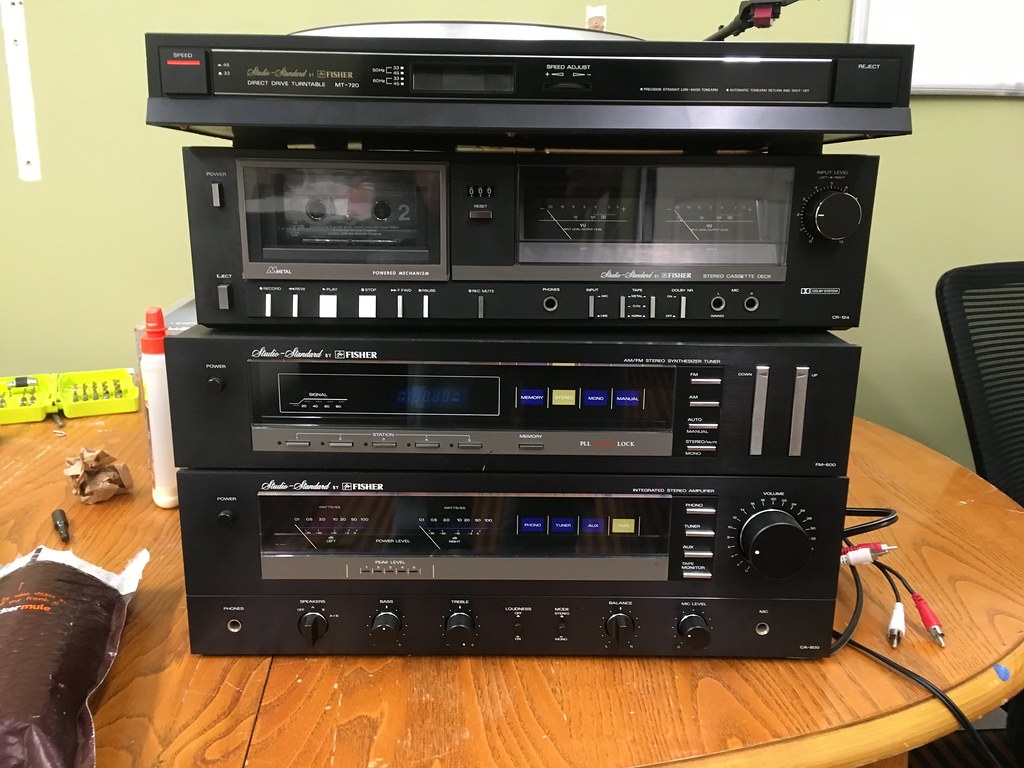
What on-premise and cloud solutions mean
On-premise solutions are hosted on hardware the business owns or rents in a facility it directly controls, such as an office server room or a private data center. The company decides how the environment is configured, secured, updated, and backed up.
Cloud solutions are delivered by a provider through remote infrastructure. Instead of buying and maintaining every server yourself, you rent capacity and services as you need them. The provider handles much of the underlying hardware, while your team focuses more on configuration, usage, and governance.
There is also a middle path. Hybrid IT mixes the two, keeping some workloads on-premise and others in the cloud. That is common when a business wants control for certain systems but still wants the speed and elasticity of cloud services for others.
If your organization is also trying to prototype internal tools or client-facing apps while it sorts out infrastructure, a web app generator can be a practical way to map the workflow first and decide later how much custom infrastructure is actually worth it.
Pros and cons of each model
There is no magic answer hiding behind the marketing language. Each model gives you something and takes something else away. The trick is not choosing the “best” option in the abstract. It is choosing the option that causes the fewest headaches for the work you actually do.
| Category | On-premise | Cloud |
|---|---|---|
| Control | High control over hardware, network, and access rules | Shared responsibility with less direct hardware control |
| Upfront cost | Usually higher because of equipment and setup | Usually lower to start because you pay as you go |
| Scaling | Slower, because new capacity has to be purchased and installed | Faster, because capacity can often be added quickly |
| Maintenance | Your team handles more patching, monitoring, and repairs | The provider handles more of the underlying maintenance |
| Recovery | Can be strong, but only if backups and failover are well designed | Often easier to distribute, replicate, and restore |
| Best fit | Stable workloads, strict control needs, and specialized setups | Variable demand, remote access, and faster deployment goals |
Where on-premise shines
On-premise can be the right answer when a business needs very specific control over systems, compliance processes, or internal network behavior. It is also a strong fit when applications are tied to local equipment, low-latency operations, or a long-lived environment that does not change much.
Another advantage is predictability for teams that already know how to run their own infrastructure well. If the staff, documentation, and routines are mature, on-premise systems can be steady and dependable. The catch is that “steady” still requires actual maintenance. Servers do not admire your confidence and fix themselves.
Where cloud shines
Cloud solutions are often attractive when a business wants to move quickly, support remote staff, or scale up and down without buying hardware every time demand shifts. That flexibility can be a big deal for seasonal work, fast-growing teams, or projects that are still proving themselves.
Cloud also helps when the company wants to shift some operational burden to the provider. For smaller teams, that can mean fewer late-night patching sessions and fewer “who rebooted the thing?” conversations. For larger teams, it can mean better standardization across locations.
How the cost picture changes
Cost is where the conversation usually gets real. On-premise often looks expensive at the start because it involves hardware, installation, facilities, networking, and support. Cloud often looks cheaper at the start because you are paying for usage instead of buying everything upfront. The trouble is that the full cost picture is wider than the first invoice.
With on-premise, the obvious costs include servers, storage, networking gear, software licensing, electricity, cooling, backups, and staff time. The less obvious costs are upgrades, replacements, downtime, and the effort needed to keep the system secure and current. A server that is “paid for” can still be expensive if it keeps demanding attention.
With cloud, the obvious costs include subscription charges, storage, traffic, and managed services. The less obvious costs include usage growth, data transfer, premium support, and the time needed to design and govern the environment properly. Cloud does not remove discipline. It just changes where the bill appears.
For a practical starting point, the AWS Total Cost of Ownership calculator, the Microsoft Azure Pricing Calculator, and the Google Cloud Pricing Calculator can help teams compare scenarios instead of guessing from memory and optimism.
A useful rule: if your workload is stable and predictable, on-premise costs may be easier to forecast. If your workload is uneven or growing fast, cloud costs may be easier to align with actual usage.
Where each option fits best
The best way to choose is to connect the model to the job it has to do.
Choose on-premise when you need
- Direct control over hardware and network design.
- Very specific data handling or latency requirements.
- Systems that stay relatively stable for long periods.
- An existing IT team that already manages infrastructure well.
Choose cloud when you need
- Fast setup and easier expansion.
- Remote access for distributed teams.
- Room to test new services without buying full infrastructure first.
- Less day-to-day responsibility for physical equipment.
Choose hybrid when you need both
Hybrid is a sensible answer when one system belongs on-premise but another works better in the cloud. For example, a company might keep a legacy database in-house while moving collaboration tools, backups, or customer-facing services to cloud platforms. That approach is not fancy, but it is often practical. Practical usually wins when the budget meeting gets serious.
Practical recommendations
If you are still deciding, use this quick filter:
- Start with the workload. What does the system do, and how often does demand change?
- Check the team. Who will maintain it, support it, and recover it if something breaks?
- Map the risk. Which option gives you the better balance of control, resilience, and cost?
- Test before you commit. A pilot project often reveals more than a long planning meeting.
My plain-language recommendation: if a workload is stable, sensitive, and already well understood, on-premise can still make sense. If the work changes often, needs fast scaling, or supports a dispersed team, cloud is usually the easier starting point. If you are split between the two, hybrid is not a compromise to apologize for. It is often the answer that respects reality.
Valbosoft can help translate that decision into a practical setup, whether the next step is infrastructure planning, a cleaner support process, or a better-fit software stack. If you want to talk through the details, start with the services page. If you want more plain-language guidance first, browse the blog. And if you already know you need a conversation, the contact page is the direct path.
Bottom line: on-premise is about control, cloud is about flexibility, and the right choice is the one that fits your workload without making your team miserable.